Your private browser workspace, powered by local AI
Chronexio transforms daily web browsing into an organized personal knowledge base. Take contextual notes, track productivity metrics, and manage tasks—stored safely on your device with Google Drive backup.
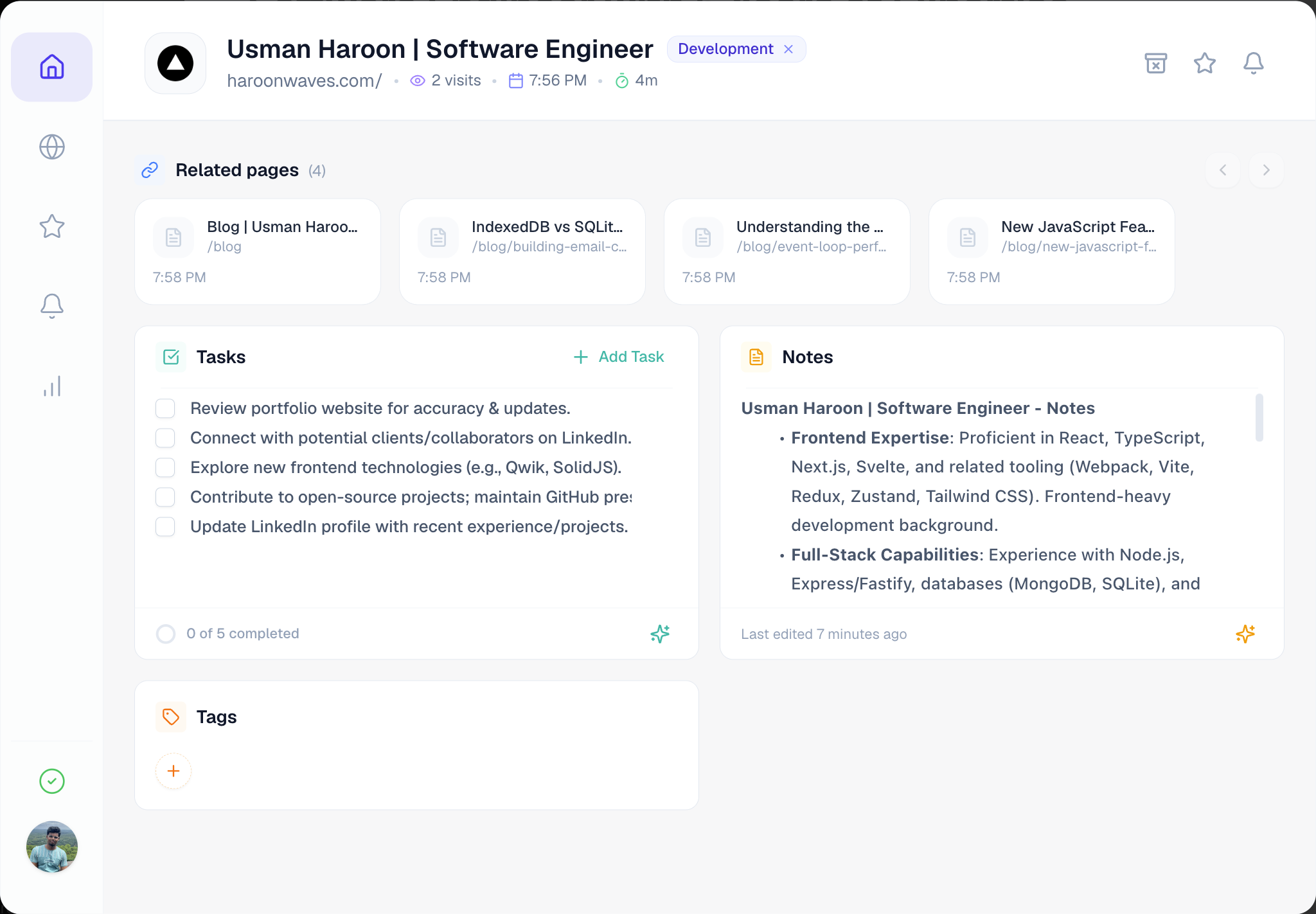
How Chronexio looks in your browser
Chronexio doesn't take over your tab. It floats as an in-page workspace modal right on top of whatever webpage you're currently browsing.

Real solutions for your daily browsing chaos
Stop losing open tabs, copy-pasting notes into external apps, and drowning in search history. Chronexio turns every webpage into a personal workspace.
Highlight-to-Capture Speed Dial
Select text on any webpage to immediately append it to your page note or create a to-do—without opening sidebars or switching apps.
Close Tabs with Confidence
Stop hoarding 50 tabs you promise to read later. Schedule an alert in two clicks, close the tab, and let desktop alerts reopen it when ready.
Desktop notification will reopen page with notes intact.
Domain-Wide Research Trail
Navigating complex documentation or GitHub? Chronexio automatically surfaces a carousel of every page you visited under that domain.
URL Memory & Task Badges
Revisit any staging link or client dashboard weeks later. A draggable launcher shows pending tasks and your notes greet you right on the URL.
Noise-Free Search & History
Automatically filters out transient Google query noise, while providing instant SQLite search across handwritten notes, tasks, and sites.
1-Click AI Summaries & Tasks
Turn long articles and documentation into key takeaways and actionable checklists in seconds—processed 100% on your device with zero cloud data transfer.
Private on-device model. Zero subscription, zero cloud data transfer.
Cloud backup without compromising privacy
Most productivity extensions upload your data to proprietary company databases where it can be inspected, analyzed, or leaked. Chronexio takes the opposite approach: optional backup that syncs directly between your browser and your private Google Drive.
Dedicated Application Folder
Isolated storage built directly into Google Drive
Chronexio connects directly to its own isolated application folder inside your Google Drive. Your notes, to-dos, and settings stay safely stored in your personal cloud without ever touching our servers.
Browsing History Stays Strictly Offline
Only your explicitly saved workspaces, notes, tasks, and settings sync. Your web browsing history never leaves your device.
Direct Browser-to-Google Transfer
Sync runs directly from your browser to official Google APIs over secure HTTPS. We operate zero intermediary relay servers.
Instant Revocation & One-Click Purge
Wipe local and cloud backups instantly from the extension settings, or revoke access anytime through Google Account Security.
Your Browser
Local Device Process
Your Google Drive
Dedicated App Storage
How Chronexio compares to traditional extensions
Privacy isn’t an afterthought—it is the foundational constraint that guided every architectural decision.
| Capability / Policy | Chronexio (Local-First) | Typical Cloud Extensions |
|---|---|---|
| Core Data Storage | Stored locally on your device (zero company databases) | Uploaded to vendor cloud servers |
| AI Model Processing | 100% on-device via Chrome Gemini Nano | Page text sent to 3rd-party cloud AI APIs |
| Browsing History & Metrics | Strictly local-only (never leaves machine) | Uploaded and aggregated for telemetry |
| Cloud Backup Storage | Direct to your private Google Drive AppData folder | Stored in vendor-owned multi-tenant databases |
| Drive Access Scope | Restricted drive.appdata (zero access to your files) | Broad drive scopes or proprietary cloud lock-in |
| URL Sensitive Param Stripping | Auto-removes tokens, passwords, and OAuth credentials | Raw full URLs often logged as-is |
| Data Deletion Control | Immediate, permanent local & cloud purge button | Complex deletion tickets or retention grace periods |
Frequently Asked Questions
Clear, honest answers about privacy, Google Drive integration, and on-device AI.
Supercharge your browsing with local privacy
Install Chronexio today and experience private on-device AI notes, intelligent workspace organization, and secure SQLite persistence.